

Technical Analysis- Starting with Charting, Tools and Setup
- Yash Mehta

- Apr 11, 2021
- 5 min read
Updated: Apr 18, 2021

Welcome all the readers, I have started a series of blog for Technical Analysis of Equity Market. Since most of the readers who are new to market or have less experience, know very few things about basic of charting platform, tools, indicators, price action so I will cover all this part in depth in this series of Technical Analysis. Few topics that I have plan to cover is:
Charting Platform, Types of Chart and Tools.
Identifying Trends.
Support/Resistance or Supply/Demand Zone.
Candle Stick Patterns.
Chart Patterns.
Technical Indicators
Setup for Swing Trade I use.
Setup for Positional Trade or Investment I use.
Basic Fundamental Check of the company that we will buy using Technical Analysis
Risk and Money Management.
So in this series we will touch upon topics from basics to advance and will try to share my practical experience. If there is anything new that you want me to cover then please mention in the comment section or ping me. There is no fix syllabus of this series and its open-ended learning and I will definitely cover the topics that I have mentioned. I know you all will give your time and effort in this and I don't want it to get wasted so
What you can expect from this?
It can help you create your strategies for trading or investing only if you practice and dedicate your time in learning this.
Deciding and planning your trades with proper risk and money management.
Simplifying Stock Market and Technical Analysis for everyone.
So let's begin with our first agenda of this blog: Charting Platform, Types of Chart and Tools
When I started trading in Equity Market, everything that I bought or sold was random without any analysis, stop loss or target. More over I only knew that if the position was in profit, then I should sell it and if the position is in loss, then hold that unless it recovers and eventually it became my long-term portfolio. Most of the things went wrong, and the capital started going down. This is a mistake that I did as a beginner. Then on social media, I got fascinated with the fancy chart and terminologies associated with the charts. At that time I couldn't afford any paid program of traders and I decided to learn Technical Analysis on my own. As you know nothing comes for free, if I save money somewhere then I will lose some other asset elsewhere. Since I was in the learning phase so the capital I used for trading was less and I didn't have any regret of loosing that small capital if I use it for learning purpose.
Moreover, during that time that I referred was Zerodha Varsity- Technical Analysis. At that time it was available in PDF format now its available in PDF format and also on their mobile app: Zerodha Varsity. I would recommend all to go through this free material after reading this blog and it will help you to understand the things that I will share in subsequent blogs.
This blog would be boring for those who are already using Technical Analysis and know the basics. But believe me in next blogs we will start with advance things that will require this basic knowledge.
1. Charting Platforms:
There are many charting platforms that one can use and to name few of them:
Your Broker's Charting Terminal
This is how the platform looks like.

Search the stock or index name in the search panel.

Click on full featured chart.

This is how the chart looks like finally in TradingView platform.
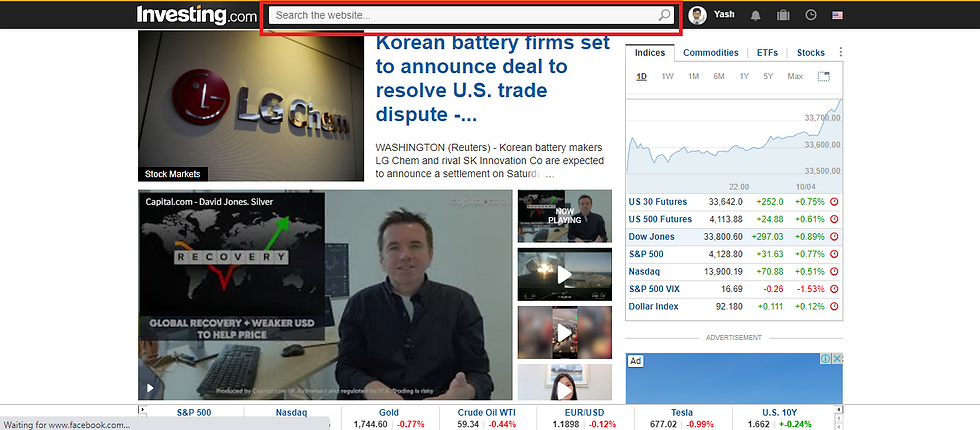
Search the stock or index name in the search panel.

Click on Technical Chart.


This is how chart looks in Investing.com

Search the stock or index name in the search panel.

This is how chart looks in Investing.com
Most commonly used Charting Platforms are TradingView and Investing.com. Personally I also use this two platform and the reason I use this would be discussed in the later part of this blog. Now we will move on to next part of this blog and we will use TradingView for demonstration since interface of both the platforms are similar.
2. Types of Chart:
Few chart types that is extensively used by traders or investors are:
Line Chart:
Line chart plots only closing price of the stocks or index in that particular time frame.
Bar Chart:
Bar chart plots Open-High-Low-Close (OHLC) of the stock or index in that particular time frame. Suppose if time frame is daily then it will plot OHLC of the price that was recorded for that day.


This is how Bar Chart looks like.
Candlesticks:
Candlesticks are same as Bar Chart. It also plots OHLC and only difference is its shape.


This is how Candlestick Chart looks like.
Heiken Ashi:
Heiken Ashi is derived from candlestick and it plot derived OHLC of candlestick.
Formula of OHLC for Heiken Ashi Candles:


It is used by trend following traders because candles signifies bullishness or bearishness by its formation.

This is how Heiken Ashi Chart looks like.
These are the types of the charts that majority of the traders/investors use while doing Technical Analysis. Now lets move on to last part of this blog:
3. Charting Tools and Setup:
Some of the tools and little bit of description mentioned in the chart shared below.

On left side, there are tools to draw trend line, horizontal, vertical line, Fibonacci, Harmonics, Pitchfork and many more.
On right hand side there is Price of the stock or index.
On the bottom there is timeline.
On the bottom right, there are two options available log chart and auto scaling.
On the top, there is time frame of the chart. Options that are available are: Minute, Hourly, Daily, Weekly, Monthly.
On left side of the time frame, there is panel to search the name of stocks or index.
On right side of the time frame there is type of charts option where one can select: Candlestick, Line Chart, Bar Chart, Heiken Ashi.
There is indicators tab where one can select popular indicators like RSI, MACD, Stochastic, Moving Average, Volumes, VWAP, etc.
Then at the end we have template. One can save the chart setup by clicking on template. In TradingView free version only one template can be saved but in Investing.com multiple templates can be saved for free.
These are the important things that one should know about commonly used charting platforms. For Investing.com interface is similar to that of TradingView and one can use that too.
Some of the advantages of TradingView over Investing.com:
User can use Indicators that are coded by the public and available openly.
Chart is saved in every 5 minutes
Some of the advantages of Investing.com over TradingView:
Multiple Templates and Setup can be saved
This might be a long and boring blog and we end our first blog here. One suggestion for all the beginners, if you are passionate about learning Technical Analysis then reading this blog is only 25% of the learning for remaining 75% you will have to practice and gets hands on the charting platform. Also while practicing you would have doubts or queries then feel free to reach out to me on any social media platform: Twitter, Whatsapp and LinkedIn
Also if there is something that I can improve upon then please suggest that too so that I can create true value in this Technical Analysis Series. I will try to complete this entire series in 6-8 weeks.
Thanks for using your precious time to read this blog. Like and Share with others too if you think that we can create value for others who are new in Equity Market and want to learn.


Simple narration and easily understandable.